an AI canvas built for social media content.
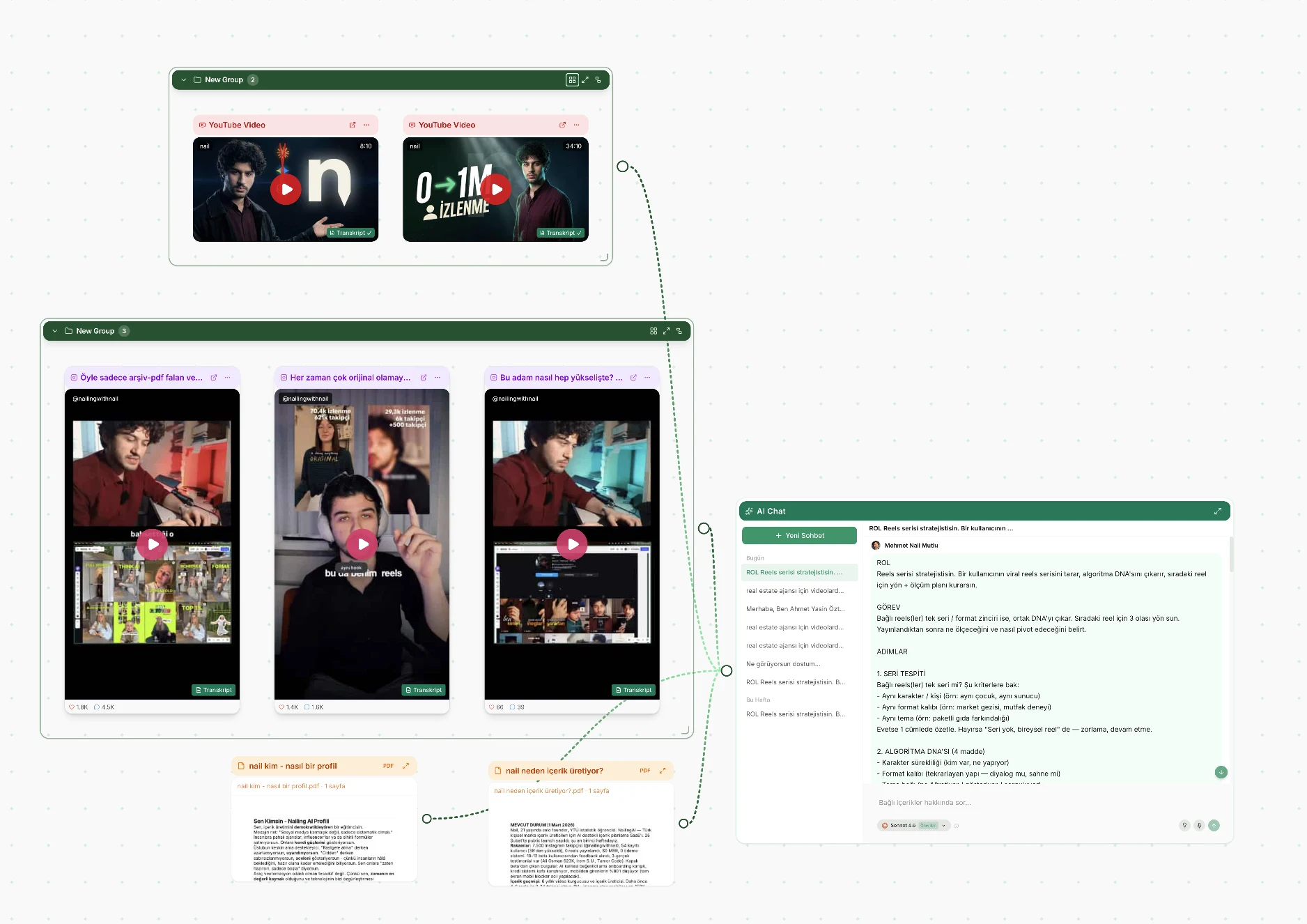
Nailing AI is an infinite canvas for social media content. Your reels, YouTube videos, PDFs, web pages and notes sit on it as cards; draw a line from a card to the AI chat and the AI reads that source. Ask for ideas, a script or a carousel, and the result lands on the same board as its sources.
No credit cardFree transcriptsTurkish + English
in short.
- What it is
- An infinite canvas where your sources sit as cards and an AI chat reads the ones you connect.
- What goes on it
- Instagram, TikTok and YouTube links (fetched from the URL), uploaded videos, Loom links, PDFs, web pages, images, notes and voice notes.
- How the AI sees it
- A line from a card or a group to the chat puts it in scope. The AI reads each connected source by name.
- What comes out
- Content ideas drawn from your sources, reels hooks and scripts, carousels of 2 to 20 slides at 1080×1350, covers.
- Models
- 8 to choose from, across the Claude, Gemini, GPT and Grok families.
- Automation
- A public API, an MCP server and a Claude skill, documented at nailingai.co/hub.
- Price and device
- 250 welcome credits, no card. Make things on a computer; on a phone, read boards and use the chat.
cards, lines and groups.
Learn three things and you know the whole board.
Cards
Every source is a card: a reel, a YouTube video, a PDF, a web page, an image, a note, a voice note. Video links come back with a free transcript; Instagram and TikTok videos also get a free scene analysis.
Lines
A line from a card to the chat means "read this". Connected cards are in scope and the AI reads each one by name; unconnected cards stay out of the answer.
Groups
Frame related cards as a group and connect the group. When a connected card joins a group, its own line goes and the group feeds the chat instead.
everything you research, on one board.
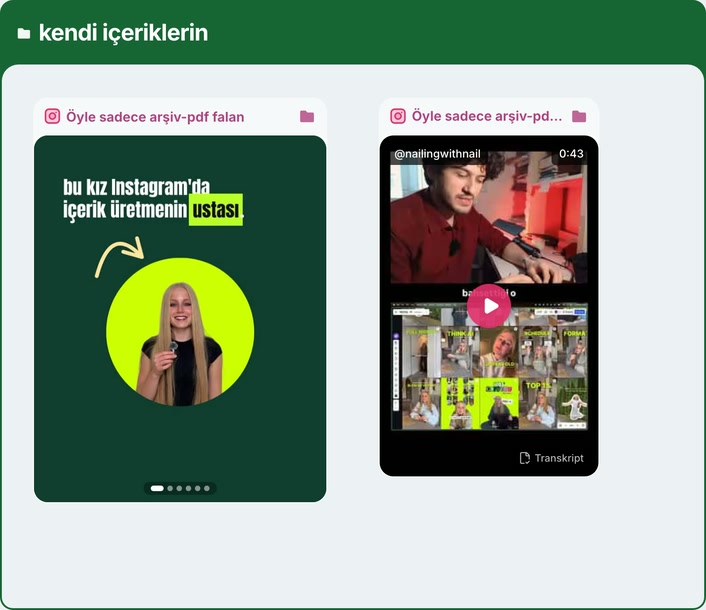
Paste an Instagram reel, post, carousel or profile, a TikTok or a YouTube link, and it is fetched for you. Upload a video or add a Loom link, a PDF, any web page or an image. Type a note, or record a voice note (or import an audio file) and get it transcribed for free.
Instagram, TikTok and YouTube links get a free transcript. Instagram and TikTok videos, and videos you upload, also get a free, timestamped scene analysis: who is on screen, what is shown, what is said word for word in the video's own language, and the text on screen, including the hook in the first three seconds. X and LinkedIn links are not fetched from a URL.
the AI reads what you connect.
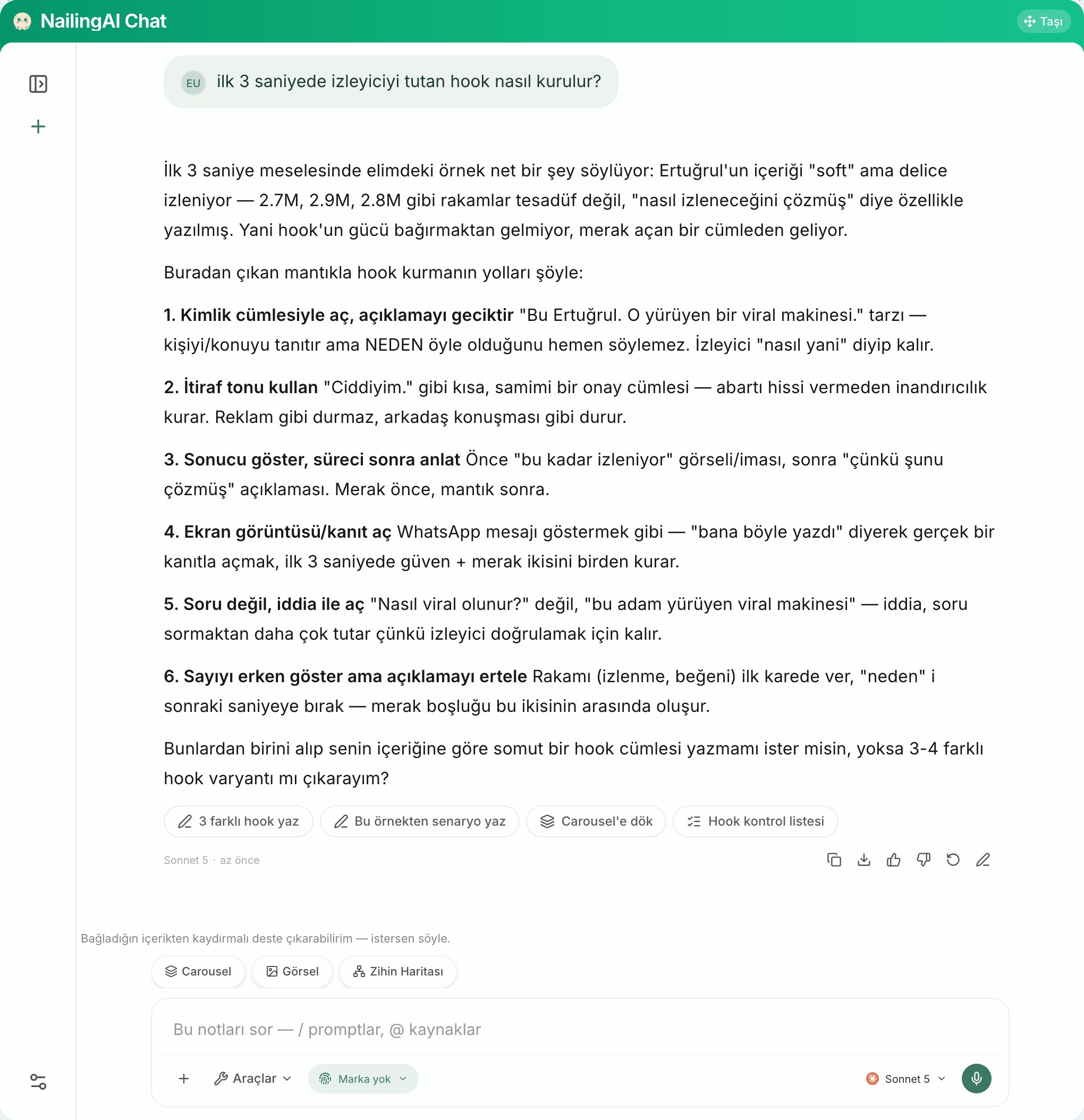
The chat is a card on the board. Connect sources to it and the AI reads each one by name and type, so you can ask across them: what do these three reels have in common, what does this PDF add, which hook fits this audience.
Content ideas come back numbered, drawn from the sources you connected. On paid plans, pick your brand profile (in beta) and the writing follows your voice. Choose from 8 models for the answer. How it learns your voice →
from moodboard to carousel.
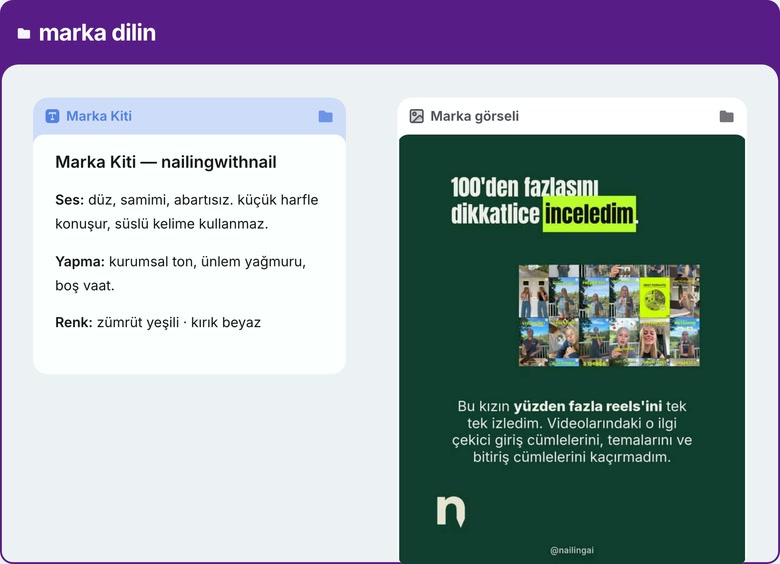
A moodboard stops at inspiration. This one writes and designs. Put the references you like next to your notes and your own posts, connect them, and ask for a carousel: 2 to 20 slides at 1080×1350, cover first, or a single cover or poster.
Add a carousel you admire as a reference deck and its layout, palette and type are measured, while the words come from your sources. The finished deck lands on the board as its own card, and you change it by telling the AI what to change. More on carousels →
a canvas beats folders and tabs.
Research-to-post work breaks when the source and the result live in different places.
| Nailing AI canvas | Folders and docs | A chatbot tab | |
|---|---|---|---|
| Where sources live | On the board, next to the result | In separate files and tabs | Pasted in, one message at a time |
| Video links | Free transcript; scene analysis for Instagram and TikTok | — no | Varies |
| What the AI reads | Exactly the cards you connect | Varies | What you paste or upload |
| Where an idea came from | Numbered ideas, drawn from connected sources | Up to you to note it | Somewhere up the thread |
| Designs the post | Carousels and covers | — no | partly |
Ways of working, not brands. Comparing it with an AI board? See Nailing AI vs Poppy AI.
a second brain that also writes.
Some people call this a second brain: a place outside your head where sources and ideas stay connected, so you stop losing track of where a thought came from. On Nailing AI that place is the canvas, and the AI works on it. Old research stays on the board, new ideas link back to it, and the next carousel can start from everything you have already collected. Recreate a post you liked →
for people who automate boards.
If you run an agent or a script, the board is reachable from outside. A public API takes nk_ keys. An MCP server gives an agent seven tools: list boards, create a board, add links, group cards, read a board summary, ask the board a question, and check a job's status. A downloadable Claude skill adds links and groups them, asks for content ideas from the board, and generates a multi-page deck as PNGs. The docs live at nailingai.co/hub.
canvas questions.
What is an AI canvas for social media content?
An infinite board where your sources sit as cards and an AI reads the ones you connect. In Nailing AI you put reels, videos, PDFs, web pages and notes on the canvas, draw lines to the chat, and get ideas, scripts and carousels written from exactly those sources.
What can I put on the canvas?
Instagram reels, posts, carousels and profiles, TikTok and YouTube links (all fetched from the URL), uploaded videos, Loom links, PDFs, web pages, images, text notes and voice notes. X and LinkedIn links are not fetched from a URL.
Can it turn a moodboard into a carousel?
Yes. Connect the references and notes you collected to the chat and ask for a carousel; it writes the slides and designs them at 1080×1350. A carousel you add as a reference deck passes on its layout, palette and type, never its words.
Does the AI read everything on my board?
No, only what is connected. A line from a card or a group to the chat puts it in scope, and the AI reads each connected source by name.
Which AI models can I use?
Eight: Claude Sonnet 5, Gemini 3.8 Flash, Gemini 3.5 Flash Lite, GPT-5.6 Terra and Grok 4.6 on every plan, plus GPT-5.5, Claude Opus 5.5 and Claude Opus 5 on paid plans.
Is there an API or an MCP server?
Yes. A public API with nk_ keys, an MCP server with seven tools and a downloadable Claude skill let an agent create boards, add links, group them and ask the board questions. The docs are at nailingai.co/hub.
Can my team share a canvas?
You can share a read-only link to a canvas. Editing together and team seats are not available today.
Is it free?
You start with 250 welcome credits, once, with no card. Transcripts and scene analysis are free. Paid plans start at $24 a month; they add brand profiles (in beta) and remove the small watermark from images.
keep reading.
AI carousel generator
Instagram carousels in your voice, from the reels and notes you connect.
read →AI content generator that learns your voice
Your brand language, your content and your competitors on one canvas, so the writing sounds like you.
read →Recreate winning content
Take the structure behind a reel or carousel that works and rebuild it in your own voice.
read →